GPT Image 2.6 GIF
A short action. A steady scene. A loop with personality.
GPT Image 2.6 supports animated GIF output through OpenAI’s image-generation service. This guide explains the controls used by this maker and how to prepare a focused animation prompt.
A photo says hello. A loop waves back.
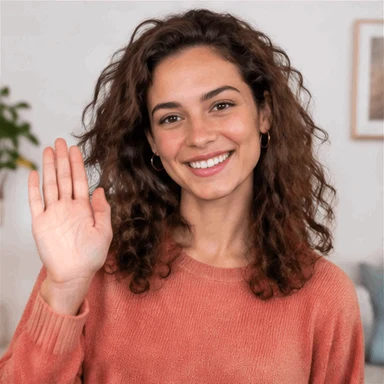
“A warm smile. A friendly wave. A little more you.”
AI-generated from a text prompt. Still frame shown for comparison; playback smoothed for this example.
Start with one small movement
A waving paw, a flickering candle, or steam above a cup gives the model a clear action. Describe the subject first, then the movement, background, camera, and return to the starting pose.
Try a looping prompt ↗What the settings mean
| Setting | What changes | Starting point |
|---|---|---|
| Frames | The number of images in the animation | 16 frames |
| Frame timing | How long each image stays visible | 0.1 seconds |
| Style | The visual description added to your prompt | Illustration |
Sixteen frames at 0.1 seconds produce a 1.6-second loop. Extra frames can increase generation work; a longer frame delay slows playback.
Use the right workflow
Text-to-GIF creates new frames from a description. The PNG converter combines images you already have. A single PNG becomes a still GIF; supply multiple frames to make it move.
Availability and limits
AI generation is available after email verification. The preview has a shared daily generation limit, including generations funded with sandbox checkout credits. OpenAI’s guide and request reference currently describe different maximum frame counts; this maker does not offer an unverified maximum.
Technical source: OpenAI image generation guide. Reviewed November 5, 2026.
Explore more ways to create
Browse GPT Image 2.6 GIF prompts · Free trial and pricing · ChatGPT GIF maker guide · PNG to GIF converter